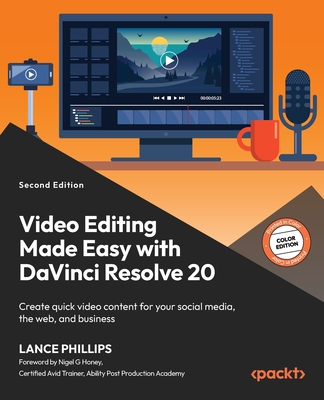
Video Editing Made Easy with DaVinci Resolve 20 : Create quick video content for your social media, the web, and business, 2/e (Paperback)
暫譯: 輕鬆使用 DaVinci Resolve 20 進行影片編輯:為您的社交媒體、網站和商業創建快速影片內容,第二版(平裝本)
Phillips, Lance, Honey, Nigel G.
- 出版商: Packt Publishing
- 出版日期: 2026-02-27
- 售價: $1,740
- 貴賓價: 9.5 折 $1,653
- 語言: 英文
- 頁數: 400
- 裝訂: Quality Paper - also called trade paper
- ISBN: 1836208839
- ISBN-13: 9781836208839
-
相關分類:
影音編輯 Video-edit
立即出貨 (庫存=1)
買這商品的人也買了...
-
 The Moment It Clicks: Photography secrets from one of the world's top shooters (Paperback)
$2,310$2,194 -
 $1,540The Hot Shoe Diaries: Big Light from Small Flashes (Paperback)
 -
 DSLR RAW 數位暗房完美技法
$520$442 -
 Smashing WordPress: Beyond the Blog (Paperback)
$1,710$1,624 -
 Software Application Development: A Visual C++, MFC, and STL Tutorial (Paperback)
$3,980$3,781 -
 3D 列印無限可能:從打造自己的 3D 印表機到輸出個性化 3D 物件 (3D Printing: Build Your Own 3D Printer and Print Your Own 3D Objects)
$320$250 -
 動畫圖解資料結構-使用 C#, 2/e
$580$522 -
 $1,248Picture Perfect Lighting: An Innovative Lighting System for Photographing People (Paperback)
 -
 Outdoor Flash Photography
$2,240$2,128
相關主題

商品描述
Boost your social media reach by using DaVinci Resolve 20 to create impressive micro-content with guidance from a Blackmagic Design Certified Training Partner
Free with your book: DRM-free PDF version + access to Packt's next-gen Reader*
Key Features:
- Learn how to make quick video content to engage and grow your audience
- Enrich your content with creative editing, graphics, color correction, and sound editing techniques
- Discover the latest features of DaVinci Resolve 20 to bring your creative ideas to life
Book Description:
Micro-content drives today's social media and business marketing, but poor editing and low-quality video can quickly turn viewers away. DaVinci Resolve helps you elevate your content using professional-grade technology trusted in Hollywood films, TV shows, and commercials.
In this practical, beginner-friendly guide, Lance Phillips, a Blackmagic Design Certified Training Partner with over 30 years of teaching and industry experience, shows you how to create polished video content for social media, business, and the web using DaVinci Resolve. Selected sections of the book are presented in color to clearly illustrate visual workflows and key editing concepts. While the book is written using DaVinci Resolve 20, most workflows, techniques, and concepts apply to DaVinci Resolve 18 and later versions.
You'll learn how to create complete short-form videos using the Cut page, apply efficient editing techniques such as split edits, syncing externally recorded audio, and recording voiceovers directly into your project. You'll also explore essential sound editing workflows and simple yet powerful visual effects, including green screen, split screen, and picture-in-picture.
By the end of this book, you'll be able to confidently edit, finish, and publish short-form videos to platforms such as YouTube, TikTok, and Vimeo.
*Email sign-up and proof of purchase required
What You Will Learn:
- Edit and add effects to your videos quickly using the Cut page
- Export videos to various social media platforms
- Fix common video issues, such as stabilizing footage and syncing audio
- Enhance video visuals with green screen and other simple visual effects techniques
- Utilize AI in DaVinci Resolve Studio to speed up your work
- Understand common filmmaking terms, including codecs and video compression types
Who this book is for:
This book is for budding content creators looking to improve their video editing skills. It's also useful for experienced content makers who want to begin using DaVinci Resolve's advanced features. The book is a practical training guide for social media marketers, influencers, short film makers, small business owners, vloggers, and film/media studies students. A basic understanding of how to create your social media channels is enough. Most techniques in this book work with the free version of DaVinci Resolve, with selected features covered using DaVinci Resolve Studio.
Table of Contents
- Getting Started with Resolve - Publishing Your First Cut
- Adding Titles, Transitions, and Simple Visual Effects
- Polishing the Camera Audio - Getting It in Sync
- Adding Narration, Voice Dubbing, and Subtitles
- Creating Additional Sound
- Working with Archive Footage
- Stabilizing Shaky Footage
- Hiding the Cut - Making Our Edits Invisible
- Split Screens and Picture-in-Picture
- Enhancing Color for Mood or Style
- Adding Greenscreen Effects
- Studio-Only Techniques - Mostly AI
商品描述(中文翻譯)
**提升您的社交媒體觸及率,使用 DaVinci Resolve 20 創建令人印象深刻的微內容,並獲得 Blackmagic Design 認證培訓夥伴的指導**
**隨書附贈:無 DRM 的 PDF 版本 + Packt 下一代閱讀器的訪問權限**
**主要特點:**
- 學習如何快速製作視頻內容以吸引和擴大您的觀眾
- 通過創意編輯、圖形、色彩校正和音效編輯技術來豐富您的內容
- 探索 DaVinci Resolve 20 的最新功能,將您的創意想法變為現實
**書籍描述:**
微內容驅動著當今的社交媒體和商業營銷,但糟糕的編輯和低質量的視頻會迅速使觀眾失去興趣。DaVinci Resolve 幫助您利用好萊塢電影、電視節目和廣告中信賴的專業技術來提升您的內容。
在這本實用且適合初學者的指南中,擁有超過 30 年教學和行業經驗的 Blackmagic Design 認證培訓夥伴 Lance Phillips 將向您展示如何使用 DaVinci Resolve 創建精緻的社交媒體、商業和網絡視頻內容。書中選定的部分以彩色呈現,以清晰地說明視覺工作流程和關鍵編輯概念。雖然本書是基於 DaVinci Resolve 20 撰寫的,但大多數工作流程、技術和概念適用於 DaVinci Resolve 18 及以後版本。
您將學會如何使用 Cut 頁面創建完整的短視頻,應用高效的編輯技術,如分割編輯、同步外部錄製的音頻,以及直接在項目中錄製旁白。您還將探索基本的音效編輯工作流程和簡單但強大的視覺效果,包括綠幕、分屏和畫中畫。
在本書結束時,您將能夠自信地編輯、完成並發布短視頻到 YouTube、TikTok 和 Vimeo 等平台。
*需要電子郵件註冊和購買證明
**您將學到的內容:**
- 使用 Cut 頁面快速編輯和添加效果到您的視頻
- 將視頻導出到各種社交媒體平台
- 修復常見的視頻問題,如穩定畫面和同步音頻
- 使用綠幕和其他簡單的視覺效果技術增強視頻視覺效果
- 在 DaVinci Resolve Studio 中利用 AI 加速您的工作
- 理解常見的電影製作術語,包括編解碼器和視頻壓縮類型
**本書適合誰:**
本書適合希望提高視頻編輯技能的初學內容創作者。對於想開始使用 DaVinci Resolve 高級功能的經驗豐富的內容創作者也很有幫助。本書是社交媒體營銷人員、影響者、短片製作人、小企業主、視頻博主和電影/媒體研究學生的實用培訓指南。對於如何創建社交媒體頻道的基本理解就足夠了。本書中的大多數技術適用於 DaVinci Resolve 的免費版本,部分功能則使用 DaVinci Resolve Studio 進行說明。
**目錄**
- 開始使用 Resolve - 發布您的第一個剪輯
- 添加標題、過渡和簡單視覺效果
- 打磨相機音頻 - 使其同步
- 添加旁白、配音和字幕
- 創建額外的聲音
- 使用存檔素材
- 穩定抖動的畫面
- 隱藏剪輯 - 使我們的編輯不可見
- 分屏和畫中畫
- 增強色彩以營造氛圍或風格
- 添加綠幕效果
- 僅限工作室的技術 - 主要是 AI


